Saturday, 15 August 2015

High Frequency Word Games for Tablets (iPad and Android)

Hi All, just to let you know that I have converted another set of games into versions that will run on an iPad plus other tablet devices (e.g. Kindlefire, Nexus, Hudl, Samsung Galaxy), but also on smart phones (iPhone, Android etc.). The new versions focus on the learning of high frequency words; notably for days of the week, months of the year, numbers to twenty, and colours (with a US version: colors also).

If you use RTZ frequently you'll know this game theme well; it's the one with Uncle Tom in it getting ready for bed... sort the high frequency words into their correct order and then if successful you can give Uncle Tom one of his bedtime bits (glass of water, hay, socks and a blanket). Here's a screen grab for you...


And some links to the content:
- Days of the week
- Months of the year
- Colours (UK version)
- Colors (US version)
- Numbers to twenty

Just to finish off, if you're wondering how progress is going with Operation Rescue Lucy, then I am nearly there! Only 3 pictures left to colour (out of 77). I will then need to put into the right format so it can accessed so I hope to have it to you mid autumn term (with a following wind). There will be a small affordable price associated with it.

Any feedback on any of the above, as always gratefully received.

Best wishes

Tim

Tim Bowerbank
www.roythezebra.com

Monday, 20 April 2015

Alphabetical Order Games for Tablets (iPad and Android compatible)

We've just launched a new set of games that are focused on alphabetical Order and are suitable for being played on iPad and other tablet devices. It's a remake / enhanced version of the original Mo the zerbra alphabetical order game which has been on the site for many years. Here's a screen grab of it... follow the links in the main game menu pages in order to play it.
alphabetical order game for iPad and Android
New Alphabetical Order Game for Tablets (iPad and Android compatible)


If you have any feedback then of course, as always I would love to hear it.... leave me a note here.

Apologies for the silence on this blog; you might think that nothing has been happening this end... but that couldn't be further from the truth... I'm finishing off Operation Rescue Lucy (currently colouring ch6 of 7) and re-making all the flash content on the site so that it can run on tablets and other mobile devices.

Best wishes for now,

Tim

www.roythezebra.com

Monday, 1 December 2014

Update on Operation Lucy...

Update on Operation Lucy...
Hi William

Many thanks for sending me your letter, I really loved reading it, and it made me happy to think that Roy the zebra had made you happy when you were reading the story... the next book is coming out very soon, it has been a massive job with more than 7 drawing pads filled with my pictures of Roy and his friends. I am just finishing off coloring the pictures and then I'll be finished, so it should either be just after Easter or the beginning of the summer term... I am sorry if that sounds a long way off!

Reading is great isn't it. If you can read Roy the zebra then that means you can now read lots of other books too, think about what kind of stories you love and what you like to do and I am sure that Ms Green will be able to find you a great book to read. Perhaps one on animals, or football, or dinosaurs, or... I'll leave that to you.

Thank you again for writing to me, it also reminded me that I needed to update my blog, so thank you for that too!

Best regards

Tim

Tim Bowerbank
www.roythezebra.com

Here's another pic from the book...
***
Dear Tim,
I have been reading your Roy the Zebra books. My name is William and I am 7 years old. I am happy when I read your books. I am waiting for your new book when is it going to come out? This is the sentences for your blog:

Little Mo’s Best Letter

Secretly, Little Mo was writing an extended letter to Lucy to rescue her despite the fact she was in the annoying zoo. How will Lucy manage to escape?

From William

Monday, 22 April 2013

How to draw Roy the Zebra...


I've been drawing Roy a long time now; he's really simple to draw so I thought I'd give you the instructions on how to draw him. Use an HB pencil, and have an eraser and pencil sharpener ready. 


Look at the 6 steps below and follow the pictures. 

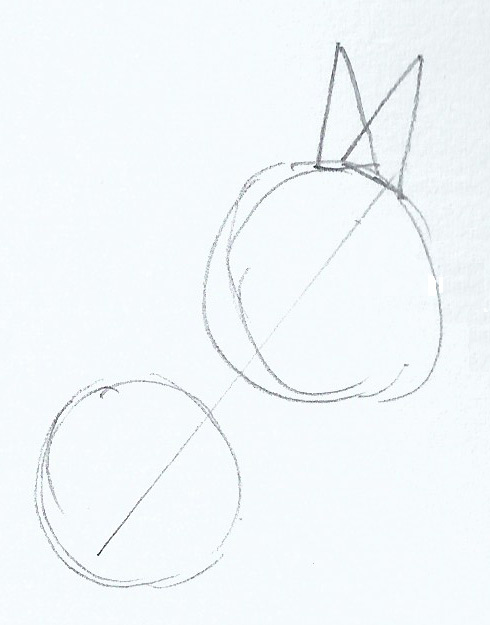
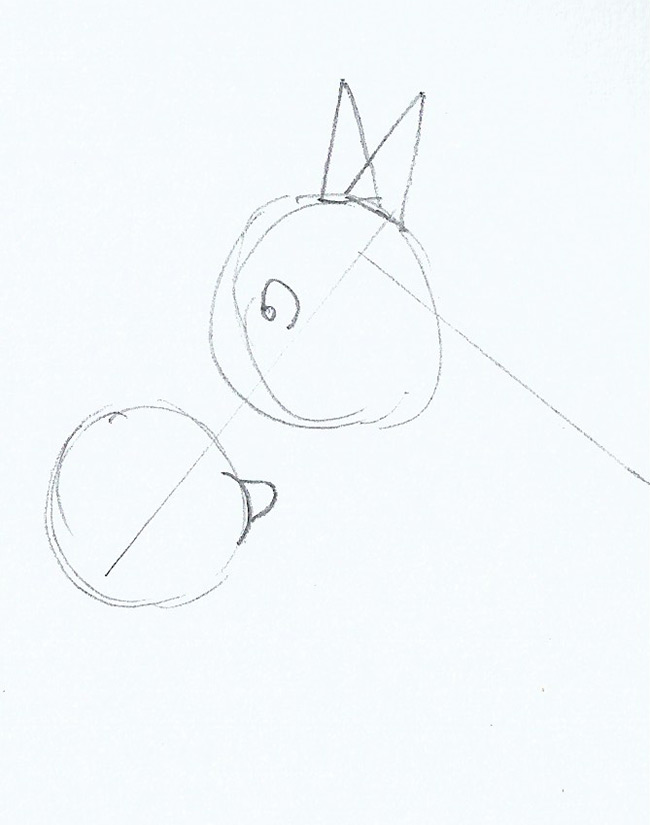
Step1: Start with his head… the best way to draw Roy's head is to lightly draw a line at the angle you'd like his head. Then lightly draw a circle at the bottom of the line and the top, make the top circle slightly bigger, just like in this picture, add two triangles for his ears:


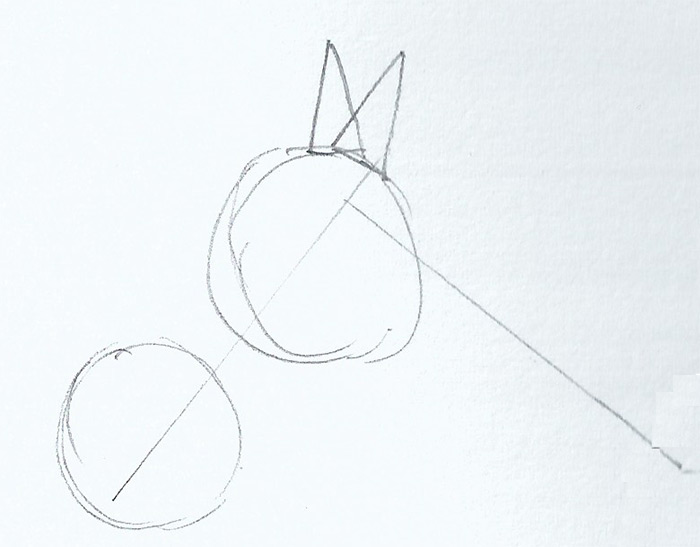
Step 2: Roy's neck… next draw a light line for his neck, it should be about the same length as his head starting from just below the top of the head line:


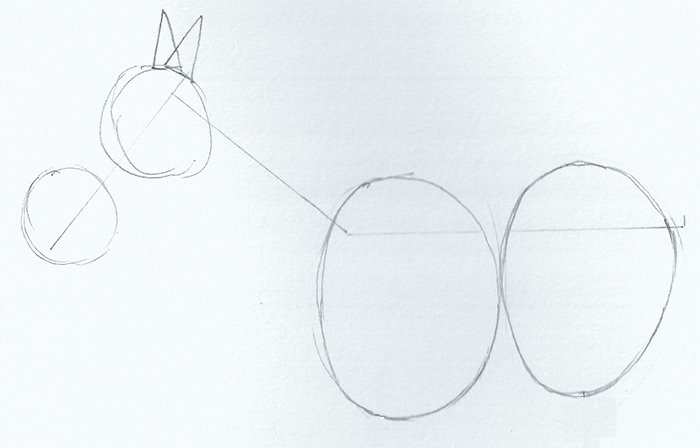
Step 3: Roy's body… draw a light line from Roy's neck to where his tail starts, it should be about 1 and a half times longer than Roy's head, draw two light ovals over the top of it, like this picture...


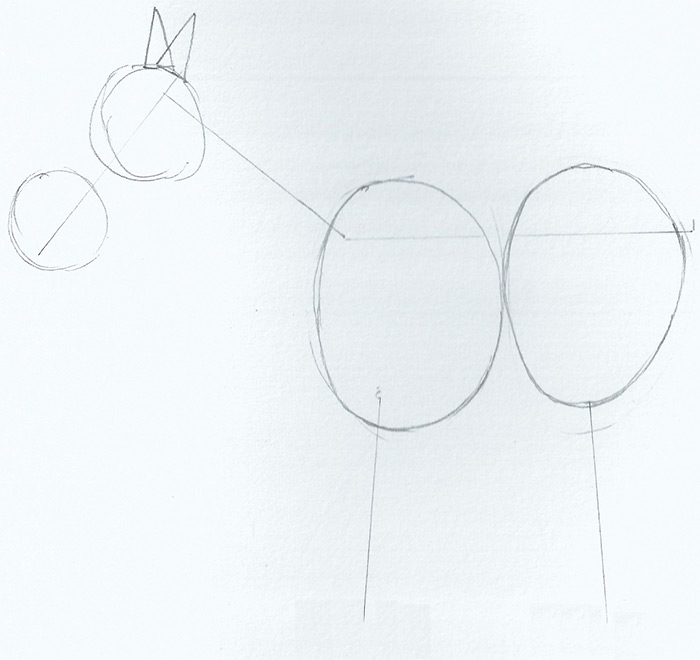
Step 4: Roy's legs… near to the bottom of the ovals, draw some light lines downwards, about the same length as Roy's head… 


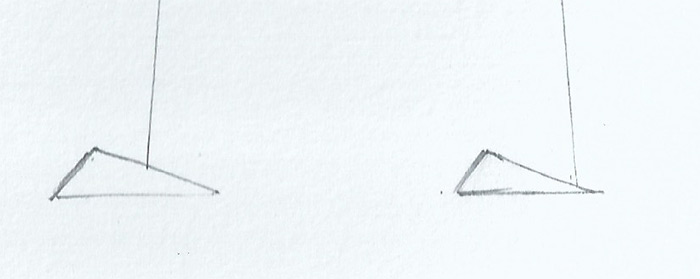
Step 5: Roy's feet… draw small triangles at the bottom of Roy's legs like in this  picture...


Step 6: Roy's eyes and mouth… add Roy's curly eye near to the bottom of the top circle on Roy's head, add Roy's mouth on the bottom circle as in the sketch on the left...


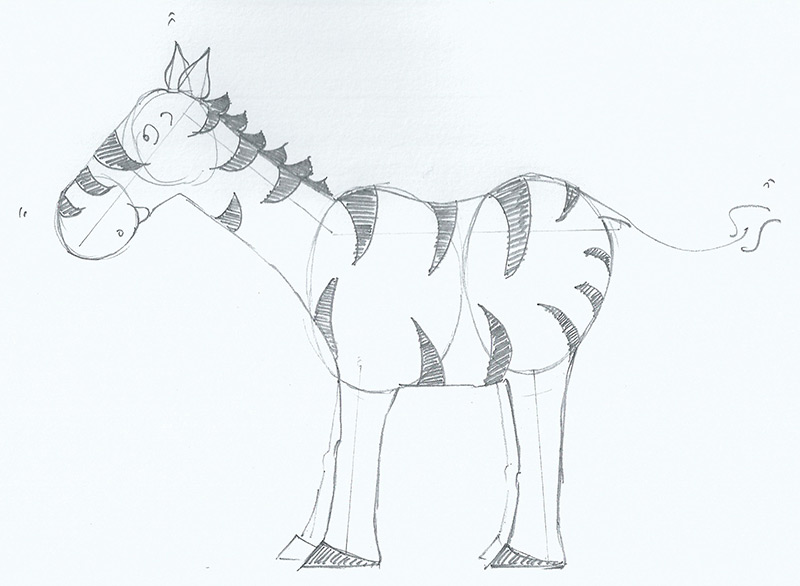
Then all we have to do is to draw roughly around using the above objects as a guide, you should then see all of Roy… add his stripes, the hair on his neck plus tail and you're done!


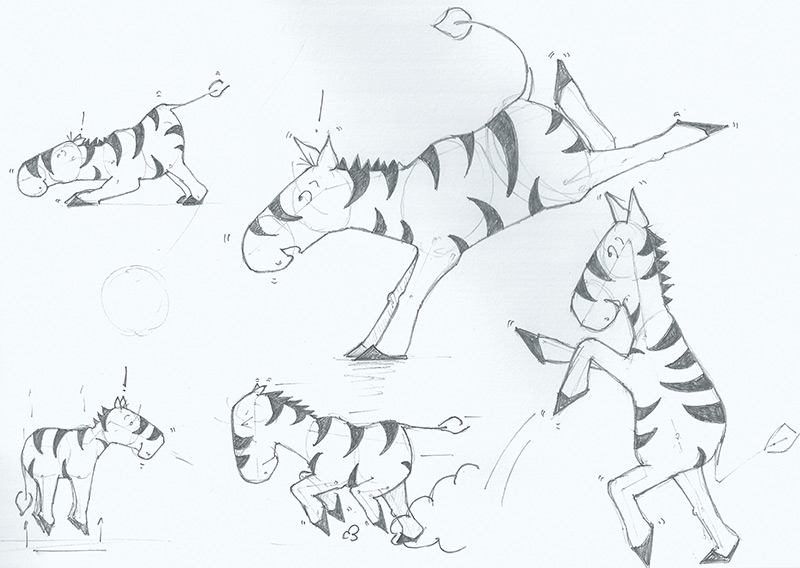
Here are some extra pictures of zebras I've done in different positions… you can see the the lightly drawn bits… try drawing Roy in lots of different positions:


Have fun...

Monday, 18 March 2013

Update Operation Lucy...

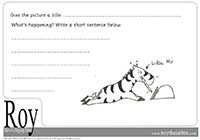
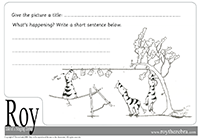
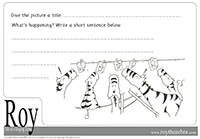
I've finished the second chapter drawings for Operation Lucy. If you're reading the first book on www.roythezebra.com, then please use the What's happening sheets below, your students can guess what's happening in the pictures and then write a short sentence to describe... send me your sentences and I'll happily add to this blog.

Here you go...

What's happening with Little Mo...


What's happening now...


What's happening now...


Still inspired by drawing elephants, so here's another sketch for you... what do you think is happening here! Send me your drawings of Lucy and I'll add here too...

Have fun using Roy, ... mmm, now on to chapter 3 drawings... I'm aiming for 5 or 6 chapters.

Tim

Monday, 11 March 2013

Jefferson Township School

Thank you Jefferson Township School for your excellent final chapters for rescuing Lucy the elephant. Some very clever ideas here... and really nice use of Story Jumper. Thank you for sending me the links and I look forward to meeting you on Skype.

Here are some of my favourite bits from your chapters. I have included all the links so that everyone can look at your work. Thank you also to Sherry for organising.
Brilliant disguises! Love the beards!

George looking good...

Nice giraffe and landscape

Everyone living together...

Yup, that's a longggggg wayyyyy. We have sea gulls like that where I live!


http://www.storyjumper.com/book/index/7498102/504a2f7e0d0fa 
http://www.storyjumper.com/book/index/7577092/504a2f7e11f10 
http://www.storyjumper.com/book/index/7577052/504a2f7e16d2b 
http://www.storyjumper.com/book/index/7482472/504a2f7e25768 
http://www.storyjumper.com/book/index/7482602/504a2f7e2a57b


Monday, 4 March 2013

Find Content Quickly on Roy...

There are many free resources for you to use on my website and some 500 pages of content! So I thought it would be useful to give you some tips on how to find content quickly as I have designed the site so that you're never more than three clicks away from the content you need for teaching literacy...

1. Use the Quick Game Finder: this links direct to the games. You can find the quick game finder on the home page and in either the righthand of lefthand columns throughout the site


2. Use the Sitemap: the site map link can be found in the main navigation bar at the top of the page (apart from the homepage), this page contains a link to every single page in the website... handy...    : )


3. Use the main navigation to navigate to the overview pages, then scroll down and see all the content available…


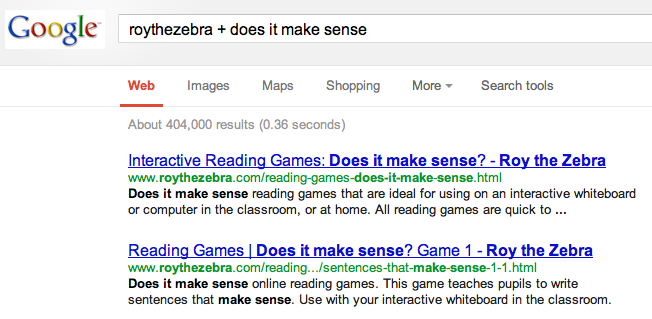
4. Use Google: just put roythezebra.com + the keywords for the content you're looking for into Google and it bring up all the pages that contain the content you're looking for…


The majority of the content on the site is free, but I have woven some paid-for examples into the site so that you can preview it, e.g. Long Vowel Phonemes… the software is important as it is the main way the website makes any money which pays for my time to continue my work on both free and paid-for content…

Thanks for reading, send me feedback… always interested in hearing both good and bad…

Tim

P.S. just finished an email campaign so heading back to the activities of drawing and the new interactive book...